When a user signs up for one product, they have an account for every product in the suite. Here is how shared authentication works under the hood — one login, one identity, every product.
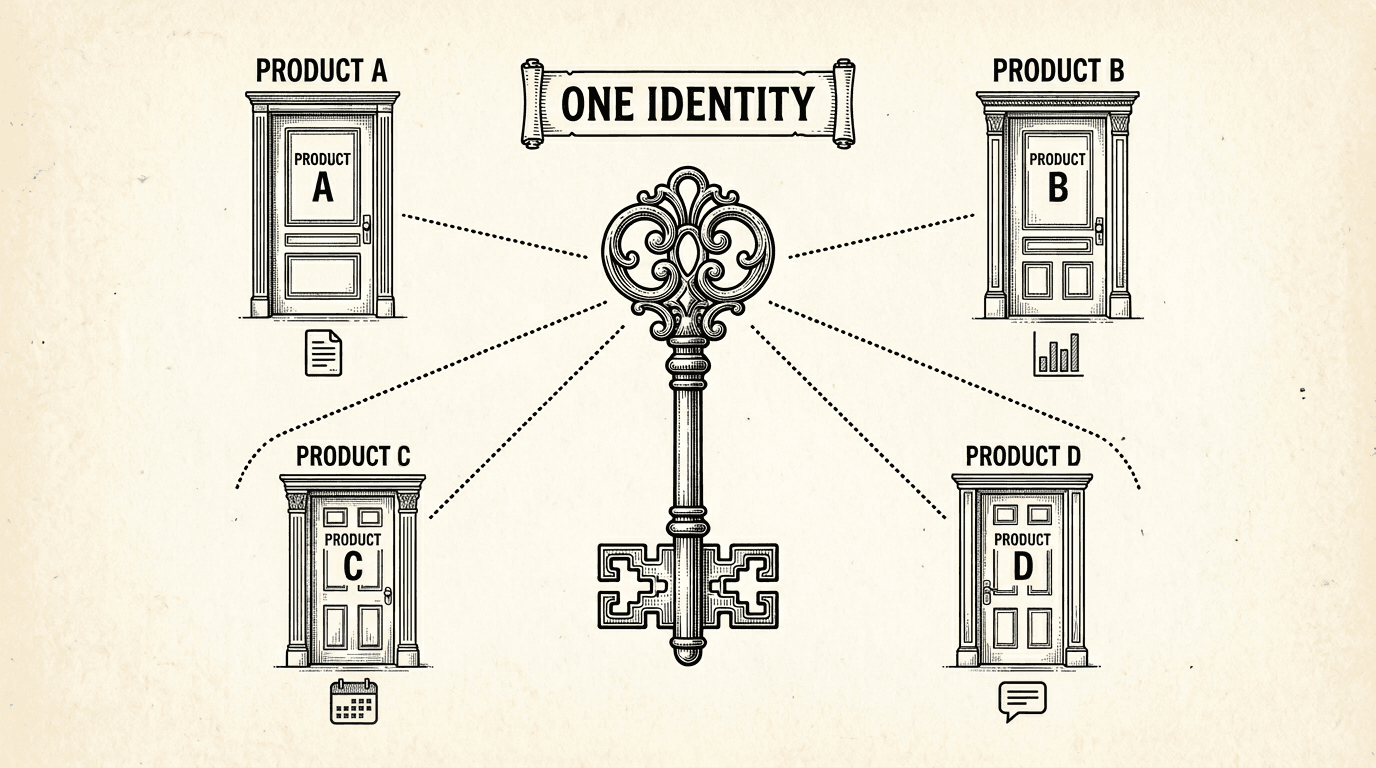
There is a moment in building a multi-product suite when you realize every product needs authentication. And the obvious approach — giving each product its own login system — creates a problem that gets worse with every product you add.
Users have to create a separate account for each product. They have to remember which email they used for which product. They get password reset emails from three different systems. And if they want to use Product A and Product B together, there is no connection between their accounts.
This is the experience of most multi-product platforms built by small teams. It is also completely avoidable.
Imagine you build a content writing tool and a social media scheduling tool. They complement each other — users write content in one and publish it through the other.
If each product has its own authentication, a user who signs up for the content tool gets User ID abc-123. When they sign up for the scheduling tool, they get a different User ID — xyz-789. The two systems have no idea this is the same person.
Now try to build a feature where the scheduling tool can pull drafts from the content tool. How do you know which drafts belong to this user? The user IDs do not match. You need to build an account linking system — "connect your Content Tool account with your Scheduler account" — which adds complexity, confuses users, and breaks if either account changes.
This is not a theoretical problem. It is the primary reason multi-product experiences feel disjointed. The user can tell that the products were not built to work together, even if the branding matches.
The solution is simpler than most people expect.
Supabase provides authentication as a built-in feature of every project. The auth.users table stores user accounts — email, password hash, OAuth tokens, metadata. This table is managed by Supabase, not by your application code.
When multiple products share a single Supabase project, they share the auth.users table. A user who signs up through Product A is immediately known to Product B, Product C, and every other product in the project.
The user ID is the same everywhere: abc-123 in the content tool, abc-123 in the scheduling tool, abc-123 in the analytics dashboard. Every product references the same identity.
This is not a custom SSO implementation. There is no identity broker, no token exchange, no federation layer. It is just PostgreSQL — one table that every product references.
A user signs up through any product in the suite. It does not matter which one. The auth system creates a record in auth.users, and that record is visible to every product.
If the user later visits a different product, they log in with the same email and password (or OAuth provider). The auth system recognizes them immediately — same user, same session.
Supabase issues JWT sessions when a user logs in. Each product validates these sessions independently using the shared Supabase URL and public key. A session issued by one product is valid for any product in the same project.
In practice, this means a user who is logged into the content tool does not need to log in again when they switch to the scheduling tool — as long as both products share the same Supabase project.
Shared auth does not mean shared authorization. A user can have an account in the system without having access to every product.
This is where the shared.product_access table comes in:
-- Which products can this user access?
SELECT product, role FROM shared.product_access
WHERE user_id = auth.uid();
When a user navigates to a product, the product checks whether they have an access record. If they do, they are in. If they do not, they see a paywall, a waitlist, or a "request access" button — depending on the product's strategy.
This separates identity from authorization. Everyone has one identity. Not everyone has access to everything. The identity is free. The access is where the business model lives.
Each user has a profile in the shared schema — display name, avatar, and any other cross-product metadata. Every product reads from this shared profile when displaying user information.
This means a user who updates their name in one product sees the change reflected everywhere. There is no "update your profile in Product A, now update it again in Product B." One profile, visible across the suite.
Shared auth is not just a convenience feature. It is the foundation for multi-product experiences that feel intentional.
Cross-product features become natural. The scheduling tool pulls drafts from the content tool. Both products use the same user ID. No account linking, no OAuth dance, no mapping table. Query the other product's schema by user ID and the data is there.
Onboarding is simpler. A new user signs up for one product. Later, they discover a second product in the suite. They click through, and they are already logged in. No second registration, no "link your accounts" step. This reduces friction at the exact moment when a user is deciding whether to try another product.
Billing can be unified. If the suite offers a bundle subscription, the billing system references one user ID across all products. "User abc-123 has a bundle subscription" is a single check, not a multi-system reconciliation.
Analytics see the full picture. When every product references the same user ID, you can track a user's journey across the entire suite. Which products do they use? In what order? Where do they drop off? This is trivial when the identity is shared and painful when it is not.
Shared auth gives each product the same user identity. It does not give them access to each other's data.
Product A cannot read Product B's tables. The schema isolation and RLS policies ensure this. Shared auth means "the user is the same person." It does not mean "the user's data is visible everywhere."
This distinction matters. A user expects that their content drafts are private to the content tool — even if they are logged in with the same account on the scheduling tool. The scheduling tool only sees drafts that the user explicitly shares or publishes. RLS policies enforce this at the database level.
Shared identity, separate data, explicit sharing. This is the pattern.
If you are using the multi-schema pattern, shared auth is already configured. Supabase's auth.users table is shared by design — it exists outside any product schema.
The setup is:
Each product references auth.uid() in its RLS policies. Because the auth system is shared, auth.uid() returns the same value regardless of which product the user is accessing.
No identity broker. No token exchange. No custom middleware. Just a shared database with schemas that reference a shared auth table.
product_access table controls which products each user can use.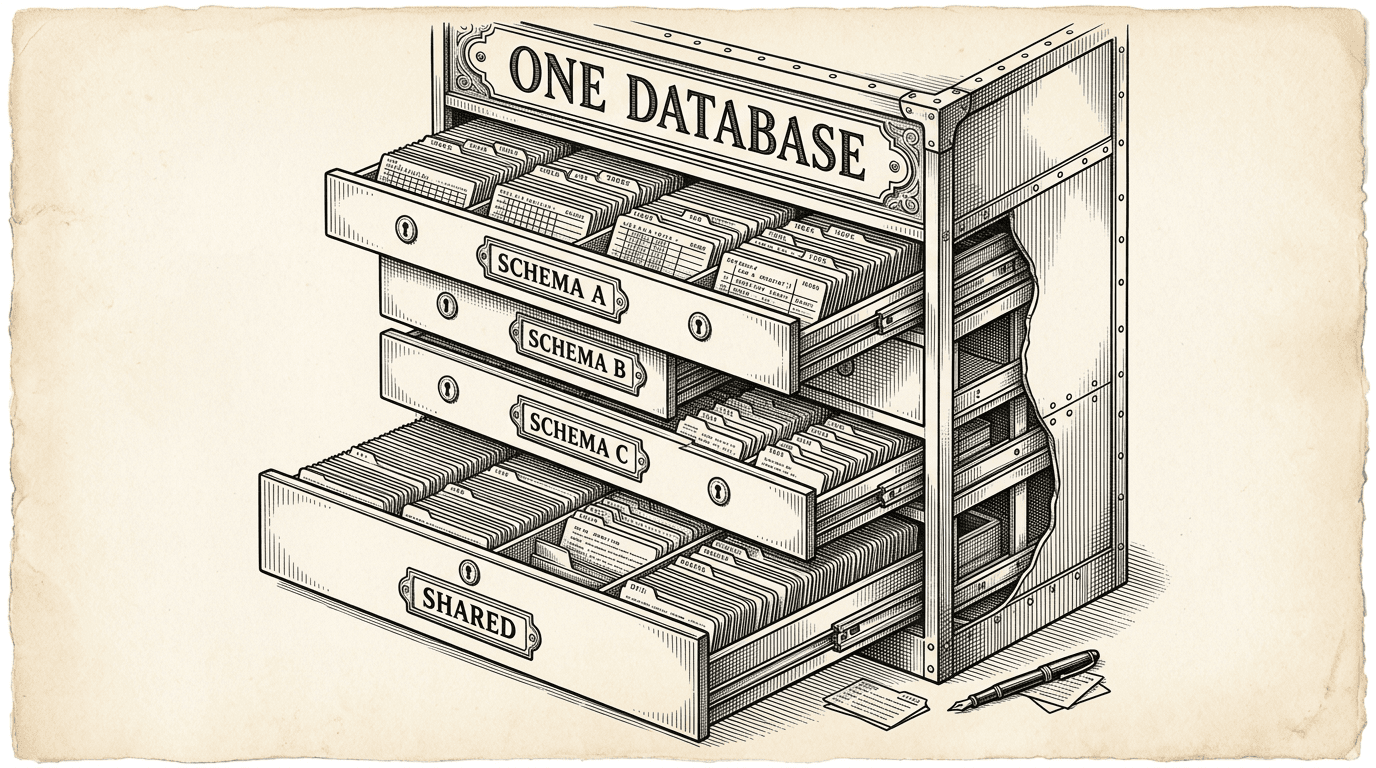
PostgreSQL schemas are the most underused feature for running multiple products. Here is how they work as isolation boundaries, why RLS is non-negotiable, and how shared auth turns a database feature into a product strategy.
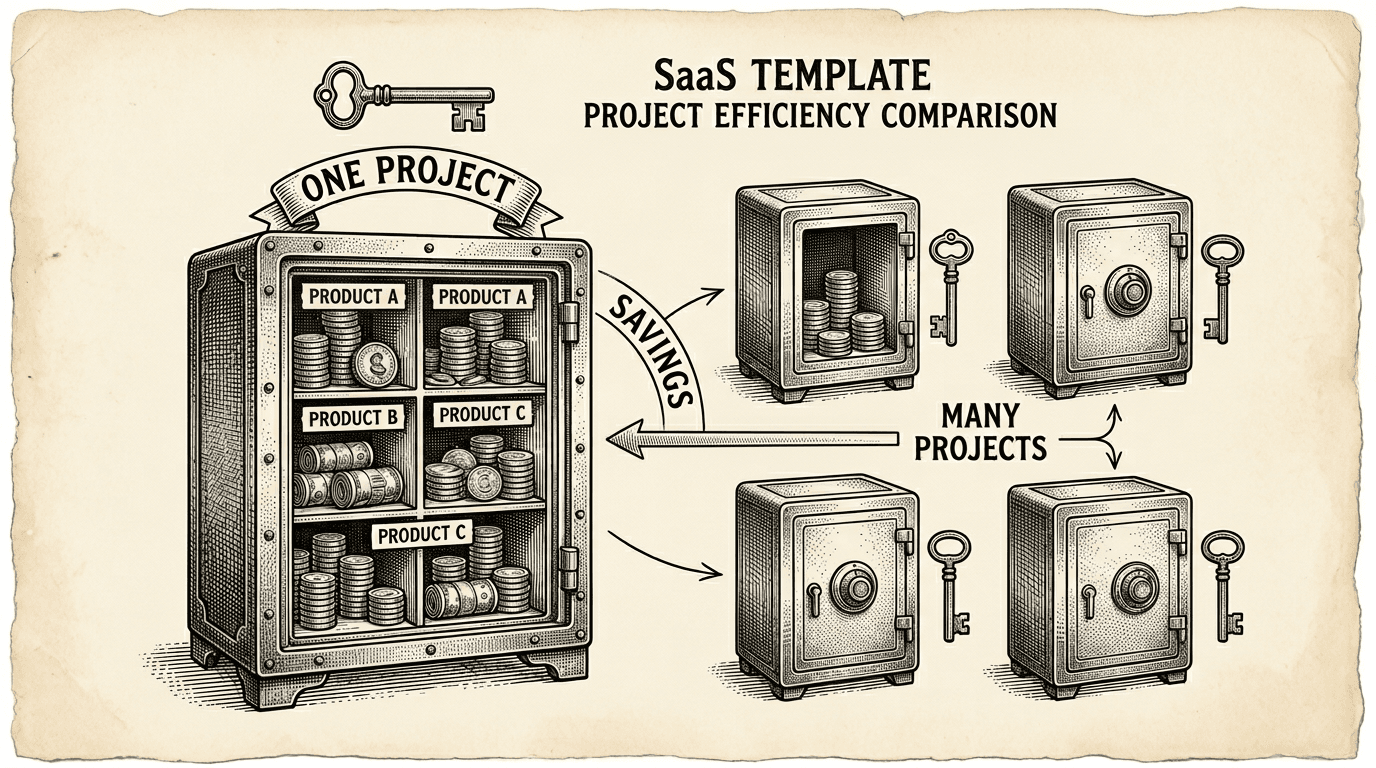
Running multiple products does not mean paying for multiple databases. Here is the practical cost case for the single-project, multi-schema pattern — what it saves, what it costs, and when to split.
